When Chests Rain Tons of Loot Controls & Camera Guide
Master placement lines, pan habits, and loot hovering so every chest burst pays.
Clean inputs win more gold than raw upgrades in When Chests Rain Tons of Loot. Heroes auto-fight, but you decide where they land, which packs you watch, and which coins enter the chest before the timer bursts it open. This page is the deep dive on controls, camera discipline, placement patterns, and the small habits that separate Silver chests from Diamond rains. Pair it with Getting Started if you are brand new, and with Loot and Chest once marks and events matter.
Core control map
| Input | Action |
|---|---|
| Left-click ground | Place one hero from your hand |
| Left-drag a line | Place multiple heroes along a path |
| WASD or arrow keys | Move / pan the view |
| Right-click drag | Pan the camera |
| Hover loot | Scoop coins and piles into the camp chest |
| O | Open settings |
Heroes that leave your screen drop back in by themselves. That safety net means you can chase a Golden Slime or boss without permanently losing units that wandered off-camera. Still, try not to strand half your army in an empty corner while a lucky chest ticks down elsewhere.
These bindings are the onboarding baseline shown in public gameplay. Remapping, if offered in your build, lives under settings (O). Learn the defaults first so wiki tips and video guides stay readable.
Placement is a skill, not a spam click
Left-clicking once drops a single hero. Dragging paints a line of deployments, which is how you seed a lane, surround a pack, or intercept a fleeing Golden Slime. Think in shapes:
- Chokepoints: drop a short line where slimes funnel.
- Blob covers: ring or spray onto dense packs so Archers and Thunder Mages share targets.
- Chase lines: drag toward a Golden Slime’s escape path instead of dropping everyone behind it.
- Boss piles: concentrate hand size on the lair once you commit to a challenge.
Archers reward lines that face incoming packs. Thunder Mages like clusters where splash or multi-target value appears. The Barbarian wants room to walk, war-cry allies, and toss slimes into packs — leave him paths, not a traffic jam of friendly models. Roster roles and rankings live on Players and the Tier List.
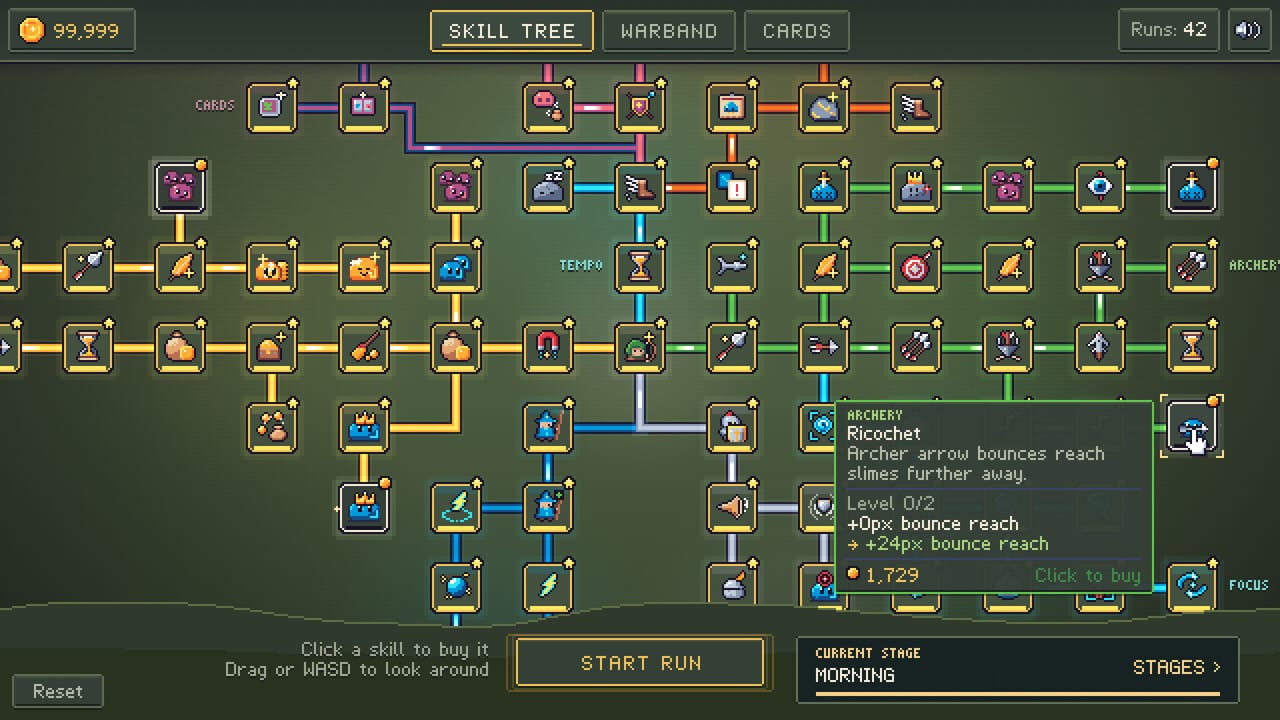
Hard-landing style upgrades (heroes stomp on drop) make fresh placements deal burst damage. When you own those nodes, redeploying into a pack is an attack, not just a reposition. That changes how aggressive your drag-lines should be mid-fight. See Skill Tree for when those nodes usually open.
Camera discipline wins the burst
WASD / arrows and right-drag exist because the map is larger than one screen. Bad camera habits lose gold:
- Parking forever on one pack while coins despawn off-screen elsewhere.
- Panic-panning away from the chest during the final rain.
- Ignoring camp when marks are about to tier up and you still have loose piles nearby.
Good habits:
- Sweep the field in a consistent loop so you revisit loot piles.
- Snap back to high-value events the moment they spawn (Golden Slime ~9s escape window).
- In the last seconds of a run, prioritize burst rain hovering over killing one more weak slime.
- If you unlocked burst-assist skills (cursor-on-chest grab helpers), plant your cursor where the rain will fall before the timer hits zero.
Remember: everything grabbed goes into the treasure chest. Unhovered loot does not magically bank itself. The fantasy of an idle game stops at combat — collection stays active.
Settings and comfort
Press O when you need settings. Use the pause in attention between runs (camp / skill tree screens) to adjust anything that hurts clarity: volume, display options your build exposes, or other comfort toggles. Incremental sessions run long; eye strain and audio fatigue cause missed Golden Slimes more often than bad tree builds do.
Because the game targets light hardware (about 512 MB RAM, 1 GB storage on Windows, macOS, and Linux), most players will not fight GPU settings. Focus comfort on readability of loot sparkles and slime silhouettes instead.
Micro habits that stack with upgrades
Hover early, hover often. Do not wait for a perfect pile. Small scoops keep the chest climbing toward Silver, Gold, and Diamond marks so the burst multiplier is already high when time ends.
Rejoin awareness. When you pan hard for an event, glance back to confirm heroes rejoined and resumed fire. The rejoin rule saves you, but only if you notice empty ground where a line should be.
Barbarian assists. If war cry or toss needs a contextual click in your current unlock state, practice that input until it is automatic. Later smart-skill style nodes can automate some Barbarian behaviors — until then, your clicks are part of the DPS budget.
Event triage. When Slime Rain, a Treasure Goblin, a Mimic, or a lucky chest appears, decide in one second: full commit, partial peel, or ignore. Controls excellence is making that decision with the camera already moving. Event values are explained on Loot and Chest.
Boss challenge cadence. Lair challenges (such as Queen Gloop) use a short committed window once you start them. Enter with heroes already in hand, camera centered, and a placement plan. Do not discover the controls mid-enrage. Land and boss flow: Bosses and Lands.
Practice drills (five minutes each)
- Line drill: only place via drag-lines for one full run. Notice coverage gaps.
- Pan drill: force a full WASD loop every fifteen seconds while still hovering loot.
- Burst drill: ignore new kills in the last ten seconds; only hover and pre-aim the rain.
- Chase drill: the moment a Golden Slime spawns, drag a chase line within two seconds.
- Rejoin drill: pan off your army for five seconds, then snap back and confirm auto-rejoin before placing more.
Run these after major unlocks (more heroes, longer runs, new events). Extra hand size without camera skill just creates more off-screen loot you fail to bank.
How controls connect to progression
Skill tree nodes that add heroes, arrows, or landing damage increase the value of each click. Card slots and war-band gear increase the value of each second those heroes remain well placed. Forge refinements raise item power but also risk — shaky camera play makes risky refines feel worse because you cannot convert power into hovered gold. Keep inputs sharp as numbers climb.
If you ever feel “upgrades are not helping,” film one run (or watch your cursor). Most plateaus are missed hovers, late Golden Slime reactions, or burst panic — all control problems — not missing a secret node. Fix the hands, then return to Skill Tree spending with honest data.
Master these inputs and the rest of the wiki becomes easier to apply. Placement lines, pan loops, and burst hovering are the real tutorial; the slime armies are just the fireworks.
Frequently Asked Questions
Quick answers to the most common questions.
How do I place several heroes quickly?
Left-drag a line across the ground to deploy multiple heroes from your hand along that path.
What happens if heroes leave the screen?
They rejoin on their own. Chase events freely, then confirm your line is firing again when you pan back.
How do I open settings?
Press O. Adjust comfort options between runs so loot and slime silhouettes stay readable.
Is loot pickup automatic?
No. Hover coins and piles to send them into the chest. Burst rain still needs active grabbing unless you unlocked assist skills.
Should I pan with WASD or right-drag?
Use whichever you can sustain for long sessions. Many players WASD for sweeps and right-drag for fine adjustments during bursts.